
Connect your first tool
This walks through giving one tool, a door sensor bot called door-bot, its own identity: it publishes door events and replays the last day of home events when it starts. It assumes a running server and the SSH tunnel from Deploy on a VPS (or the local stack).
1. Decide the grants
Grants are least privilege: the client can do nothing else. For door-bot:
| Grant | Subject | Why |
|---|---|---|
publish | evt.home.door.> | its own events |
subscribe | evt.home.> | replay and follow home events |
A tool that must not miss events across restarts would use a durable grant instead of subscribe, for example durable on evt.home.> named indexer. See Clients and grants.
2. Create the client
In the dashboard (as an operator or administrator): Clients → Create client, name door-bot, add the two grants, create. The dialog shows the .creds once, with a download button and ready-made snippets for Go, Python, TypeScript, the pulse CLI and the nats CLI.
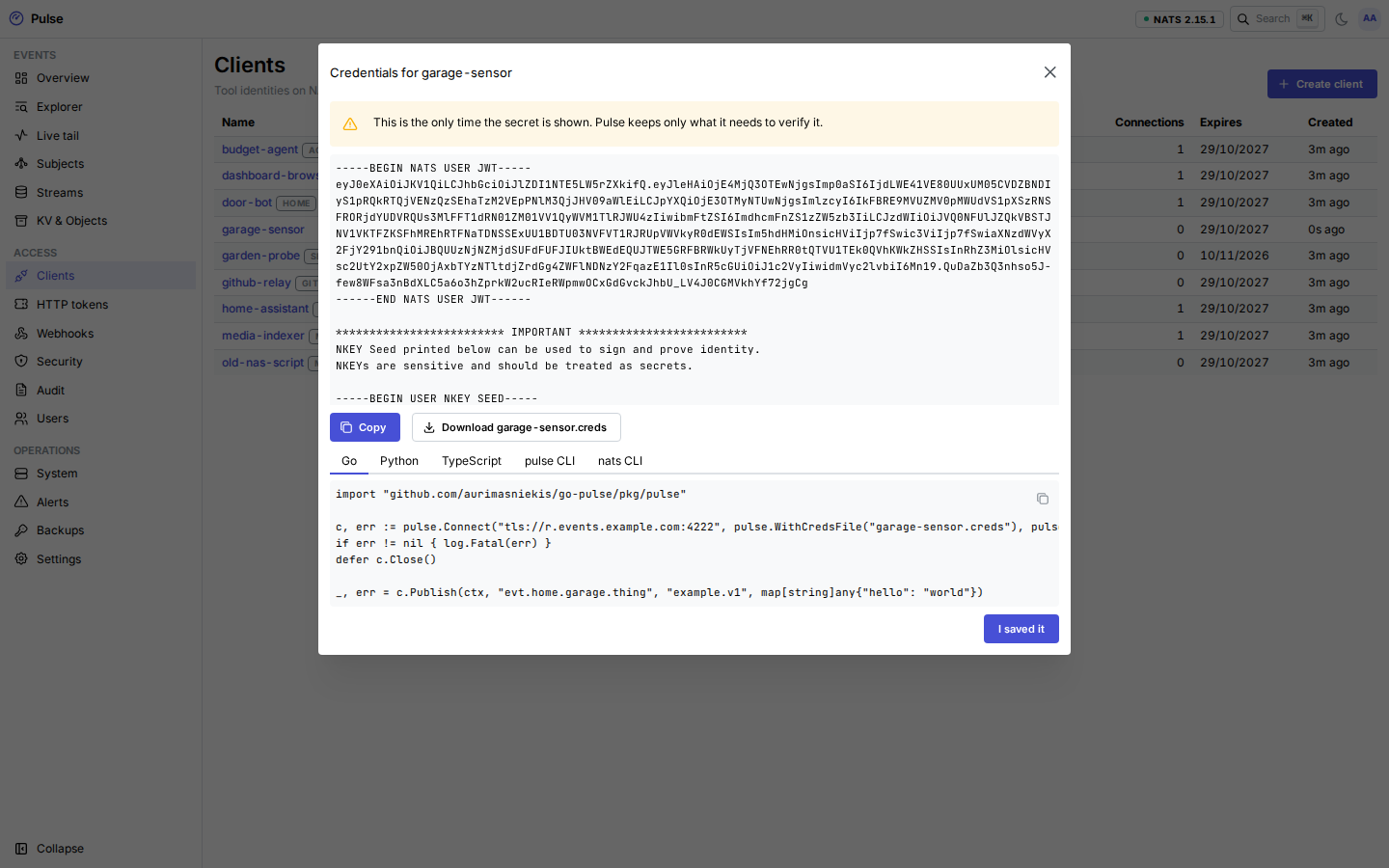
From a terminal (through the tunnel), with a personal access token from your dashboard Account page (role operator or administrator; it works only through the tunnel):
export PULSE_ADMIN_TOKEN=pulse_pat_…          # or --admin-token-file / pulse context add … --admin-token-file
pulse clients create door-bot \
  --grant 'publish:evt.home.door.>' --grant 'subscribe:evt.home.>' \
  --description "Front and back door sensors"
# created door-bot (…); credentials written to door-bot.creds — they are not shown again
--out chooses the file (- for stdout), --days the lifetime (default 365). The CLI refuses to overwrite an existing file.
Copy door-bot.creds to the tool's host with mode 0600. It is the tool's whole identity: anyone with it can do what its grants allow. pulsed does not keep the seed, so if the file is lost, rotate the client (pulse clients rotate door-bot).
3. Try it with the CLI
pulse context add home --url tls://r.events.example.com:4222 --creds ./door-bot.creds
pulse pub evt.home.door.opened '{"door":"front"}' -t home.door.opened.v1
# published evt.home.door.opened seq=1042 id=01J…
pulse sub 'evt.home.>' --since 24h
--since takes RFC 3339 (2026-10-01T08:00:00Z), a date (2026-10-01, local time) or a duration (90m, 24h, 7d, 2w). Add --json for one JSON object per event. If the Let's Encrypt certificate is not issued yet, add --ca internal-ca.pem with the PEM from System → Connect → Internal CA.
4. Use an SDK
c, err := pulse.Connect("tls://r.events.example.com:4222",
	pulse.WithCredsFile("door-bot.creds"), pulse.WithSource("door-bot"))
if err != nil {
	log.Fatal(err)
}
defer c.Close()

_, err = c.Publish(ctx, "evt.home.door.opened", "home.door.opened.v1", map[string]any{"door": "front"})

type Door struct{ Door string `json:"door"` }
sub, err := c.Subscribe(ctx, "evt.home.>", pulse.Handle(func(ctx context.Context, e pulse.Event, d Door) error {
	log.Printf("%s %s %s", e.StreamTime.Format(time.RFC3339), e.Subject, d.Door)
	return nil
}), pulse.Since(time.Now().Add(-24*time.Hour)))import asyncio
from pulse import connect
async def main():
c = await connect("tls://r.events.example.com:4222", creds="door-bot.creds", source="door-bot")
await c.publish("evt.home.door.opened", "home.door.opened.v1", {"door": "front"})
async for e in c.subscribe("evt.home.>", since="24h"):
print(e.sequence, e.subject, e.json())
asyncio.run(main())import { readFile } from 'node:fs/promises'
import { connect } from '@pulse/sdk'
const c = await connect({
servers: 'tls://r.events.example.com:4222',
creds: await readFile('door-bot.creds', 'utf8'),
source: 'door-bot',
})
await c.publish('evt.home.door.opened', 'home.door.opened.v1', { door: 'front' })
for await (const e of c.subscribe('evt.home.>', { since: '24h' })) console.log(e.sequence, e.subject, e.json())Every SDK reads the client ID from the .creds and uses the client's own inbox prefix, so it stays inside the grants. Installation and the full API: Go, Python, TypeScript.
5. Watch it
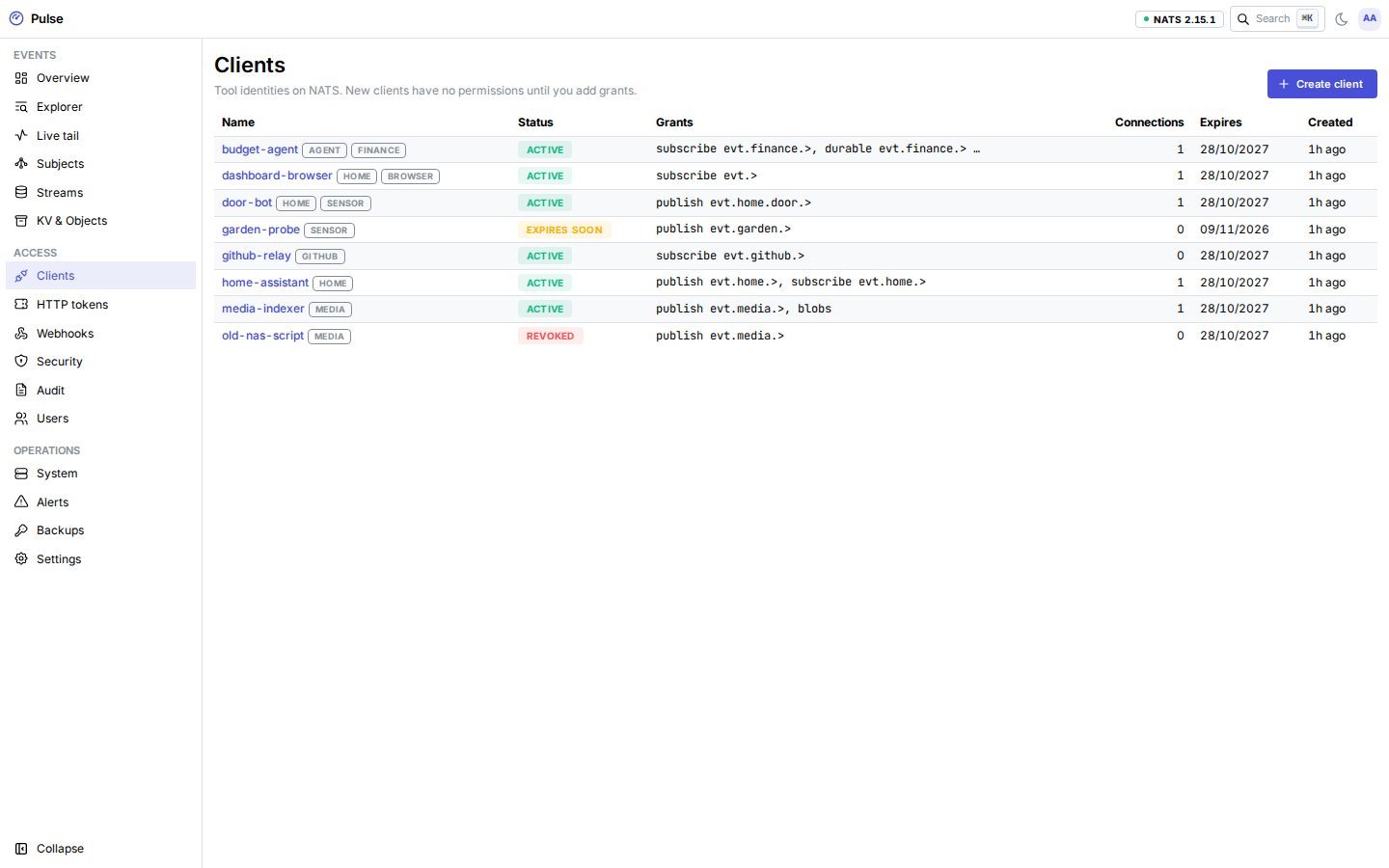
- Clients → door-bot shows its grants, expiry and live connections. Editing grants does not need new
.creds: connected tools reconnect with the new permissions. - Explorer filters by subject, type, headers and payload. Live tail shows events as they arrive.
- Audit records who created the client and every change.
Next: The dashboard.