
Firewall and bans
Pulse bans addresses that keep failing authentication, the way fail2ban does for SSH. A ban is enforced in three places: pulsed's HTTP layer, the host's nftables, and optionally a Cloudflare IP list.
Detection
Four kinds of failure count against the source address:
- NATS authentication errors on 4222 (pulsed reads NATS's
CLIENT.AUTH.ERRadvisories, which carry the client host); - missing or invalid HTTP tokens on the public API;
- bad or missing webhook signatures on
/hooks/*; - failed password sign-ins on the public dashboard (source
dashboard; see Users and single sign-on).
Failures are counted per address: an IPv4 address as itself, an IPv6 address as its /64.
| Setting | Default | Meaning |
|---|---|---|
PULSE_BAN_THRESHOLD | 5 | Failures within the window that trigger a ban |
PULSE_BAN_WINDOW | 10m | Sliding window |
PULSE_BAN_DURATION | 1h | First ban |
PULSE_BAN_MAX | 720h (30 days) | Upper bound |
A repeat offender's ban is 4 times longer each time, up to the maximum. Offences are remembered for 30 days after a ban ends; lifting a ban keeps that history, so the next ban still escalates.
Never banned
- loopback, RFC 1918 private ranges, link-local,
0.0.0.0/8, and IPv6 loopback, ULA and link-local; - Cloudflare's ranges (embedded, and refreshed daily from Cloudflare unless
PULSE_CF_RANGES_REFRESH=false); - the VPS's own addresses (
PULSE_HOST_IPS); PULSE_BAN_ALLOWand the allowlist on the Security page.
Because private ranges are never banned, the SSH tunnel to the dashboard (which arrives from loopback) always works, even when your own public address is banned.
Enforcement
- HTTP. A banned address gets 403 on every public route.
- nftables.
pulsed banagentmirrors bans into two nftables sets with matching timeouts. Packets from banned addresses are dropped atprerouting priority raw, before Docker's NAT, so they never reach NATS or pulsed. - Cloudflare IP list (optional). Bans of one hour or more are added to an account-level list (
PULSE_CF_ACCOUNT_ID,PULSE_CF_BANLIST_ID,PULSE_CF_BANLIST_TOKEN_FILE). A WAF rule in your zone that blocks the list stops them at the edge.
Bans are a nuisance filter against credential guessing. They are not a defence against distributed attacks.
The nftables contract
Your deployment owns /etc/nftables.conf; banagent only adds and removes elements in the two ban sets. The required table (names are configurable, these are the defaults):
destroy table inet pulse_edge
table inet pulse_edge {
  set cloudflare_v4 { type ipv4_addr; flags interval; elements = { … } }
  set cloudflare_v6 { type ipv6_addr; flags interval; elements = { … } }
  set pulse_ban_v4  { type ipv4_addr; flags interval, timeout; }
  set pulse_ban_v6  { type ipv6_addr; flags interval, timeout; }

  # priority raw runs before Docker's DNAT, so published ports are covered too.
  chain prerouting {
    type filter hook prerouting priority raw; policy accept;
    ip  saddr @pulse_ban_v4 drop
    ip6 saddr @pulse_ban_v6 drop
    # fib daddr type local: only traffic addressed to this host. Without it the rule also drops the containers'
    # own outbound HTTPS (it enters prerouting from the Docker bridge), which breaks ACME and Cloudflare API calls.
    fib daddr type local tcp dport 443 ip  saddr != @cloudflare_v4 drop
    fib daddr type local tcp dport 443 ip6 saddr != @cloudflare_v6 drop
  }
}
Keep the Cloudflare sets current from https://www.cloudflare.com/ips-v4 and https://www.cloudflare.com/ips-v6, for example with a daily timer.
Never flush the whole ruleset
flush ruleset deletes Docker's tables and breaks container networking. destroy table inet pulse_edge (nft ≥ 1.0.8) replaces only this table.
Debian's nftables.service runs nft flush ruleset when it stops, so a plain systemctl restart nftables has the same effect. Install a drop-in that clears it:
# /etc/systemd/system/nftables.service.d/keep-docker.conf
[Service]
ExecStop=
With it, a restart keeps Docker working. It empties the ban sets, and banagent refills them on its next poll.
Docker must run with userland-proxy: false and ip6tables: true. Otherwise NATS sees Docker's proxy instead of the real client address, and IPv6 clients cannot be banned.
banagent
banagent is the pulsed banagent command in its own container, on the host network.
| Variable | Default | Meaning |
|---|---|---|
PULSE_BANAGENT_URL | http://127.0.0.1:9464/internal/v1/bans | The ban feed on pulsed's metrics listener (host loopback) |
PULSE_BANAGENT_TOKEN_FILE | /run/pulse-banagent/token | Bearer token that pulsed init writes; mount only that subpath of the pulsed volume, read-only |
PULSE_BANAGENT_TABLE | pulse_edge | nftables inet table |
PULSE_BANAGENT_SET_V4 / _V6 | pulse_ban_v4 / pulse_ban_v6 | Set names |
It long-polls the feed, so new bans reach nftables within about a second, and re-reads everything every 5 minutes. While pulsed is down, banagent leaves the sets alone; the element timeouts still expire bans. It needs no master key.
Run it as root inside its container with every capability dropped except NET_ADMIN (the nftables sets) and DAC_READ_SEARCH (its token file is owned by uid 65532). Docker grants added capabilities only to root processes, and the image's default user is 65532. The reference compose file has the complete service.
Host SSH is not covered by Pulse bans. Use fail2ban's sshd jail with its nftables action for that.
Managing bans
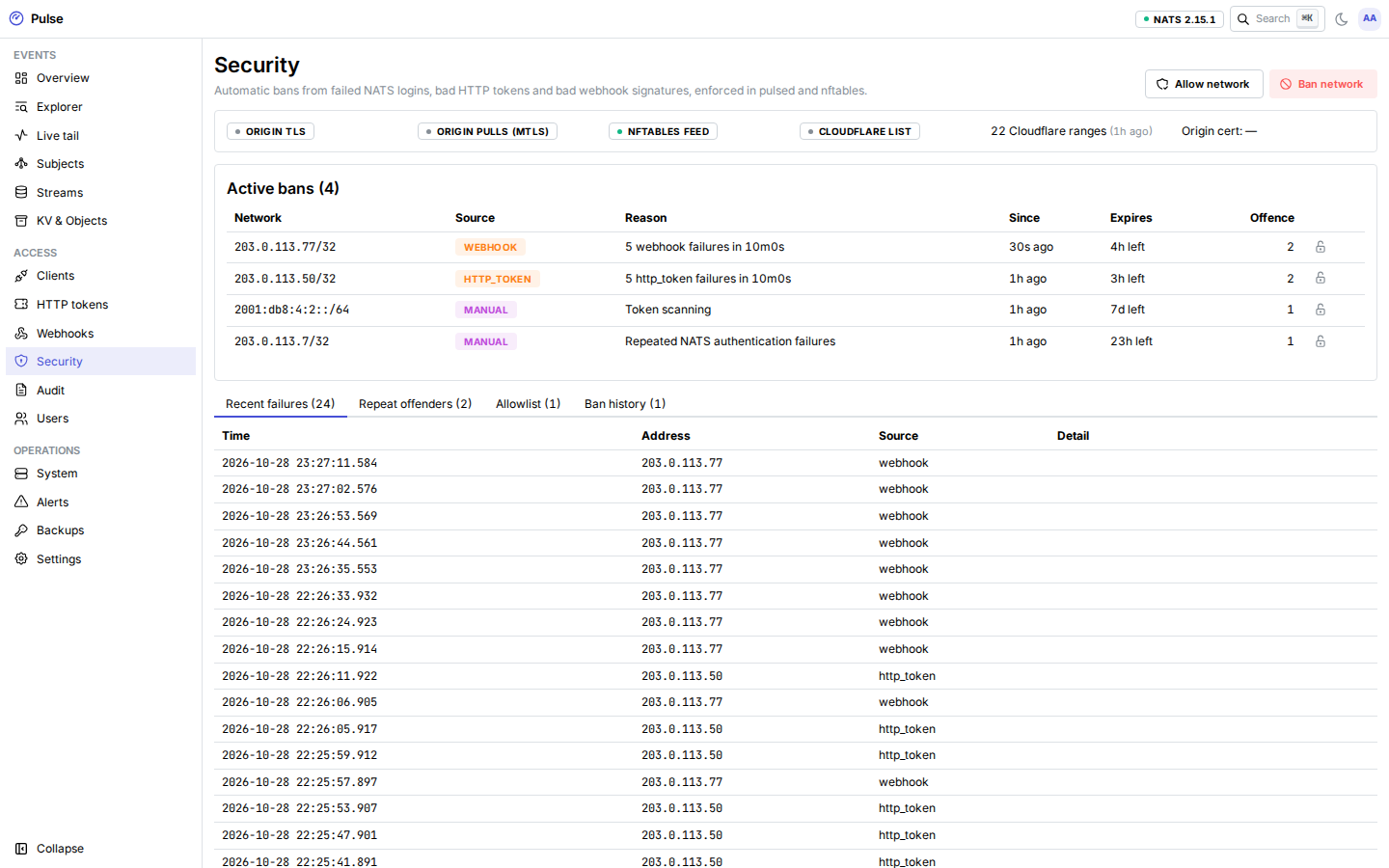
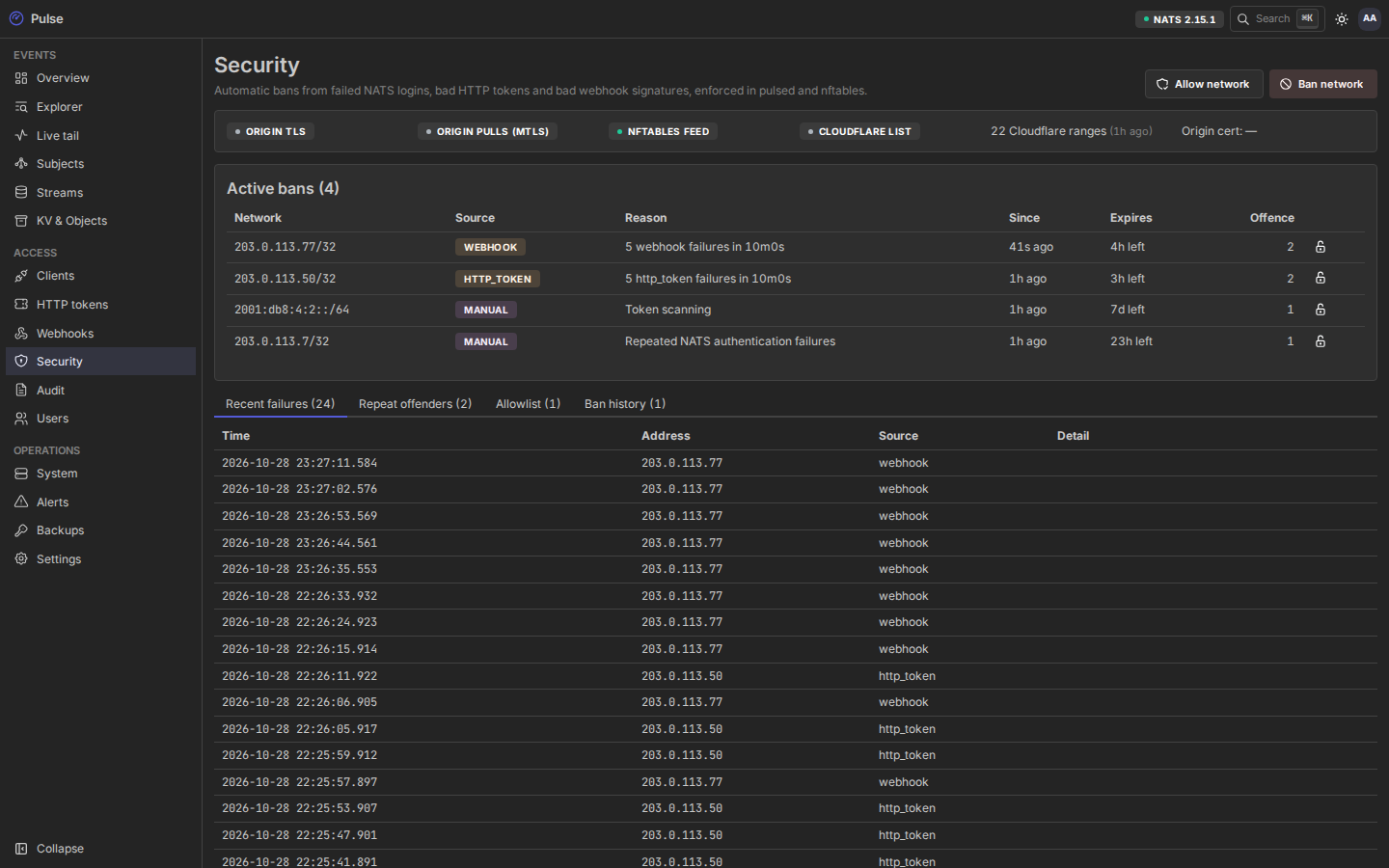
The Security page shows active bans, ban history, recent failures, the worst offenders, the allowlist, and the edge status (Cloudflare ranges, AOP). From there you can ban a network by hand (for a number of hours, or with no expiry), lift a ban, and add or remove allowlist entries. Every change is audited.
Through the tunnel, the same with the admin API and a personal access token (operator or administrator role):
curl -X POST http://127.0.0.1:8080/api/admin/v1/security/bans/lift -H "Authorization: Bearer $PULSE_ADMIN_TOKEN" \
  -H 'Content-Type: application/json' -d '{"network":"203.0.113.7"}'
The ban_storm alert fires at 10 bans within 10 minutes.
Locked out?
If your own address is banned from NATS or the API, open the SSH tunnel (SSH is not affected) and lift the ban on the Security page. Add the address to the allowlist if it keeps happening, for example a home connection that runs a misconfigured tool.