
Users and single sign-on
Every dashboard page and every admin API call needs a signed-in user. People sign in with an email address and a password plus a TOTP code, or through any OpenID Connect provider (Keycloak, Authentik, Dex, Entra ID, Google, Okta…). The CLI uses personal access tokens. There is no anonymous mode and no default password.
The full operator guide is docs/operator/users.md.
The first administrator
On the server, while no administrator exists:
docker compose exec pulsed pulsed admin bootstrap
# One-time setup link (single use, expires …); it is shown only once:
#   https://admin.events.example.com/setup?token=…
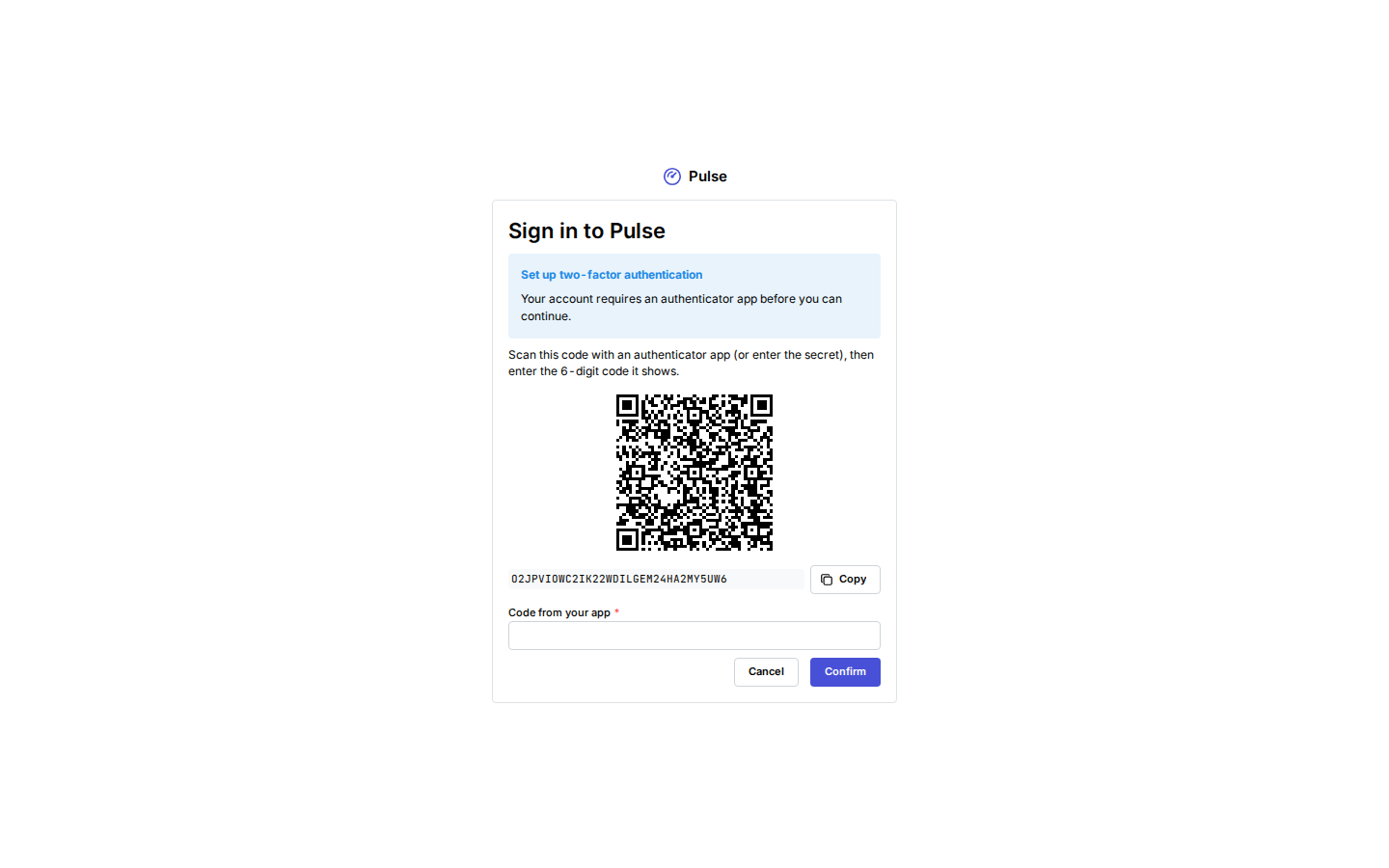
The link is built from PULSE_ADMIN_URL and is valid for 30 minutes. Open it on the dashboard (the public dashboard host, or http://127.0.0.1:8080 through ssh -L 8080:127.0.0.1:8080 <server>), choose an email and a password of at least 12 bytes, then sign in. Administrators must enroll TOTP before the session can be used:
- scan the QR code (or type the secret) into an authenticator app and enter a code;
- save the ten recovery codes somewhere offline: each works once in place of a TOTP code;
- enter the next code (enrollment itself does not finish signing in).
bootstrap fails once an administrator exists. For lost access use break-glass. On the dev stack, make dev-admin prints the link.
Roles
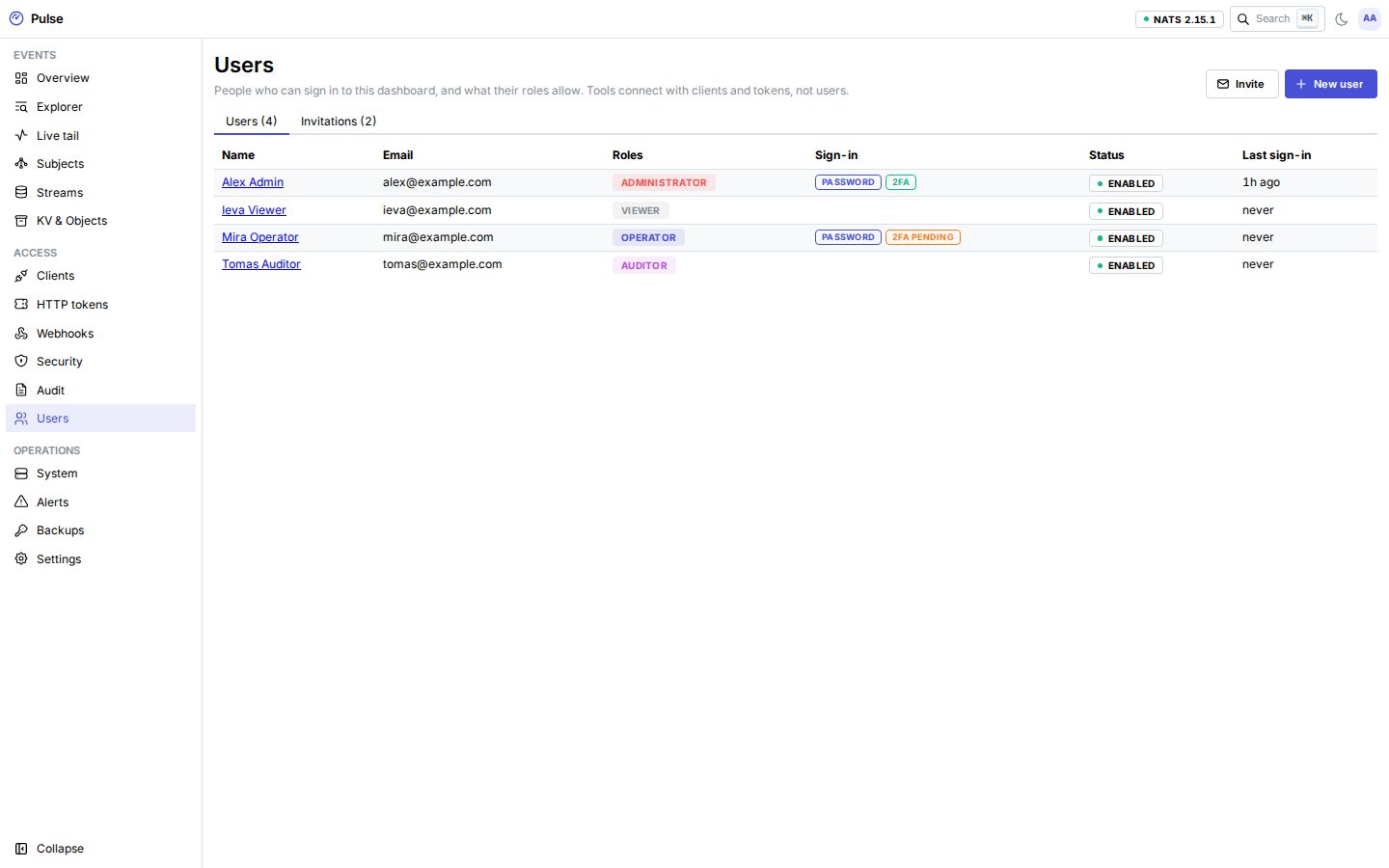
| Role | Can |
|---|---|
| administrator | Everything, including users, single sign-on and backup restores. |
| operator | Run the bus: clients and HTTP tokens, webhooks, streams, KV and objects, bans, alert rules, running backups, publishing events, the audit log. Not users, SSO or restores. |
| auditor | Everything a viewer reads, plus the audit log and the user list (not SSO settings). |
| viewer | Read the dashboards, events and payloads, clients, webhooks, bans, alerts, backups and settings; not the audit log or users. |
Every admin API operation names exactly one permission, and the dashboard hides pages and buttons you cannot use. A user without roles can sign in but sees nothing. Changing someone's roles or disabling them signs them out everywhere. The last enabled administrator cannot be demoted, disabled or deleted.
Password accounts holding the administrator or operator role must enroll TOTP (PULSE_MFA_REQUIRED_ROLES). An administrator can require it for anyone else with the user's Require an authenticator switch.
Adding people
| Way | How |
|---|---|
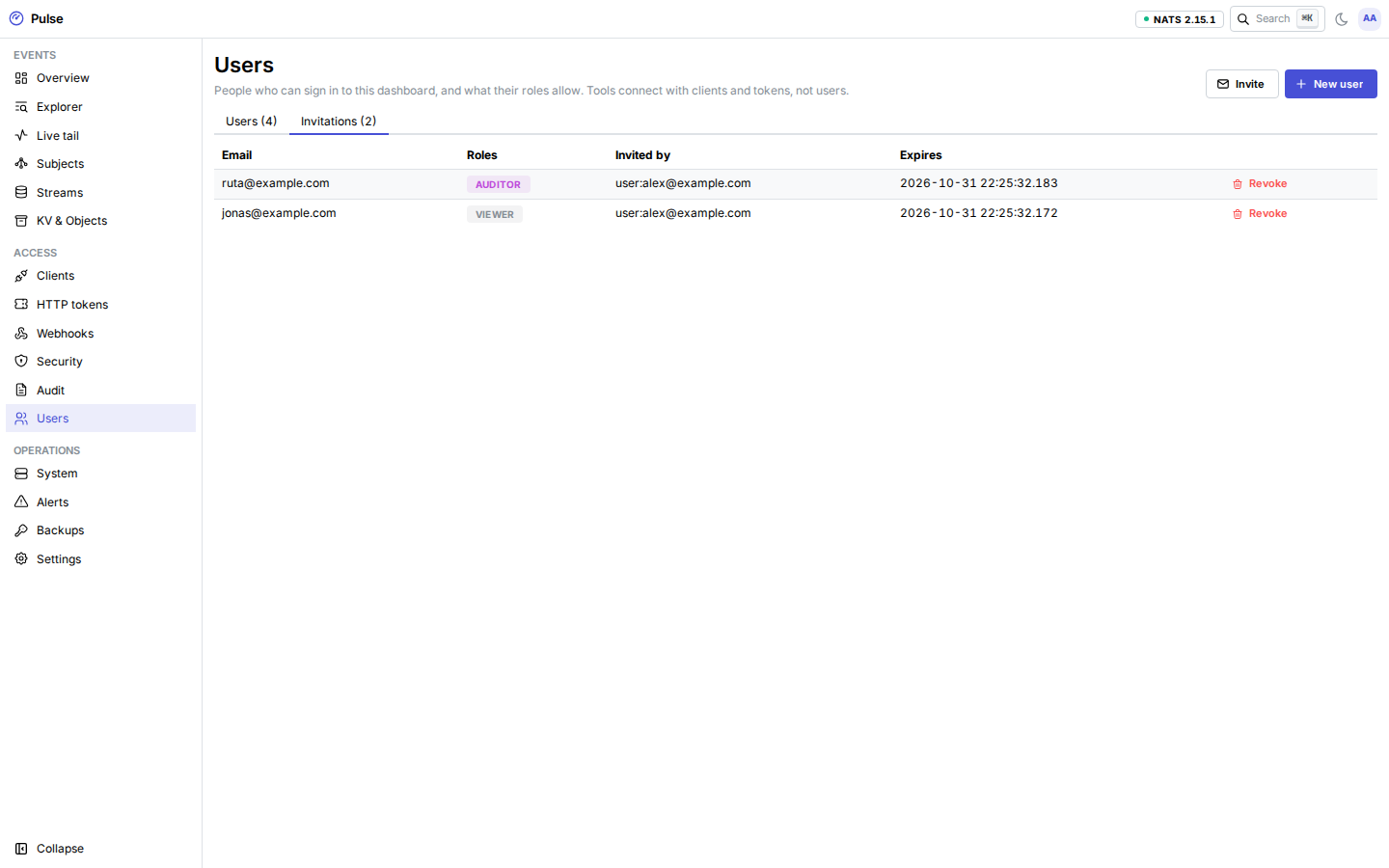
| Invitation | Users → Invitations → Invite: email and roles. The link is valid for 72 hours and works once; the person sets a display name and password. |
| User and password link | Users → New user, then Password link (valid for one hour, works once). The same link resets a forgotten password. Administrators never set or see other people's passwords. |
| Single sign-on | Link the person's identity at a provider, or let a provider create users just in time (below). |
Every one-time link is shown once. Pulse stores only a keyed MAC of it.
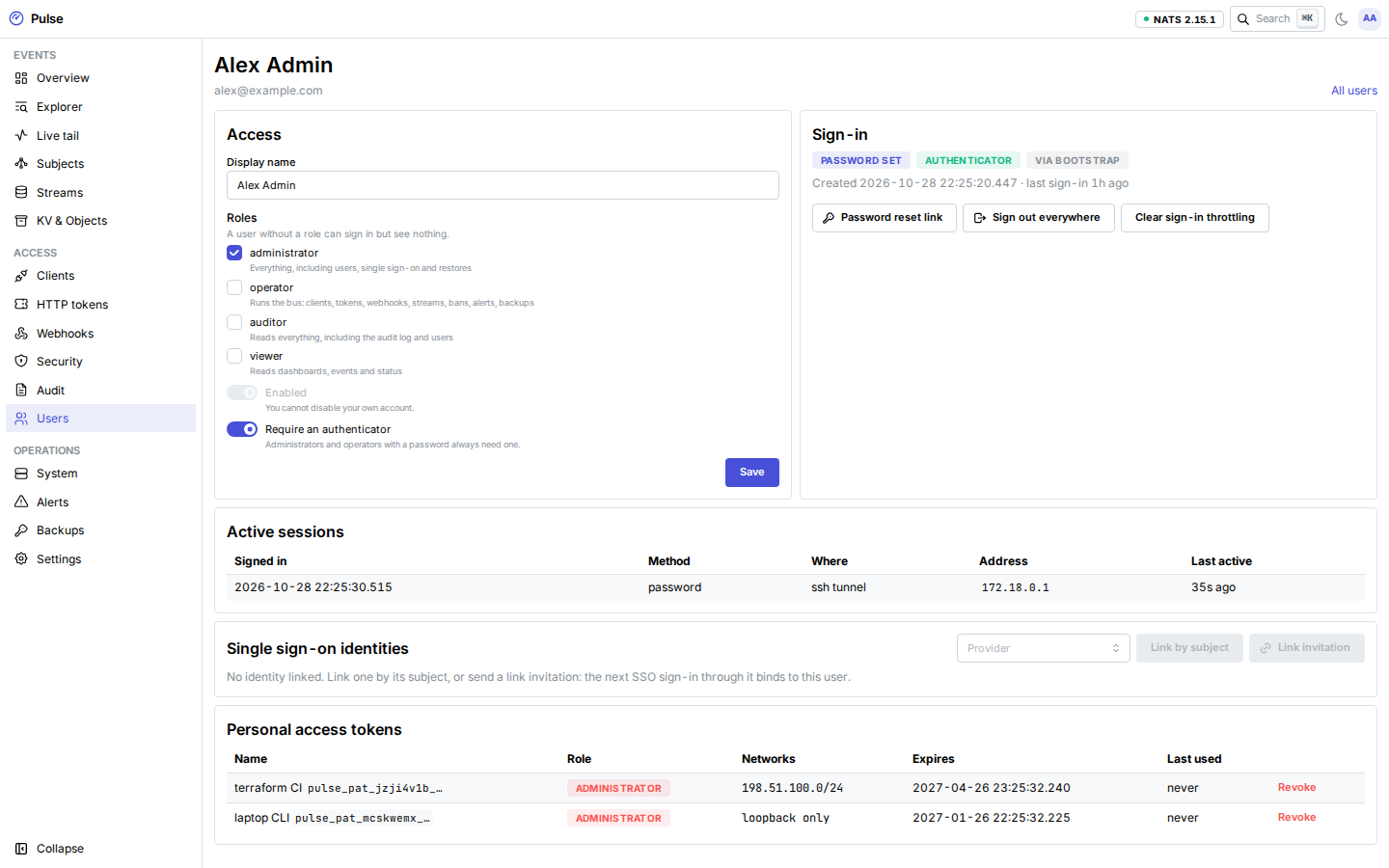
A user's page shows their roles, status and sign-in methods, their sessions, linked SSO identities and personal access tokens, with the administrator actions: password link, sign out everywhere, clear throttling, disable and delete.
Signing in
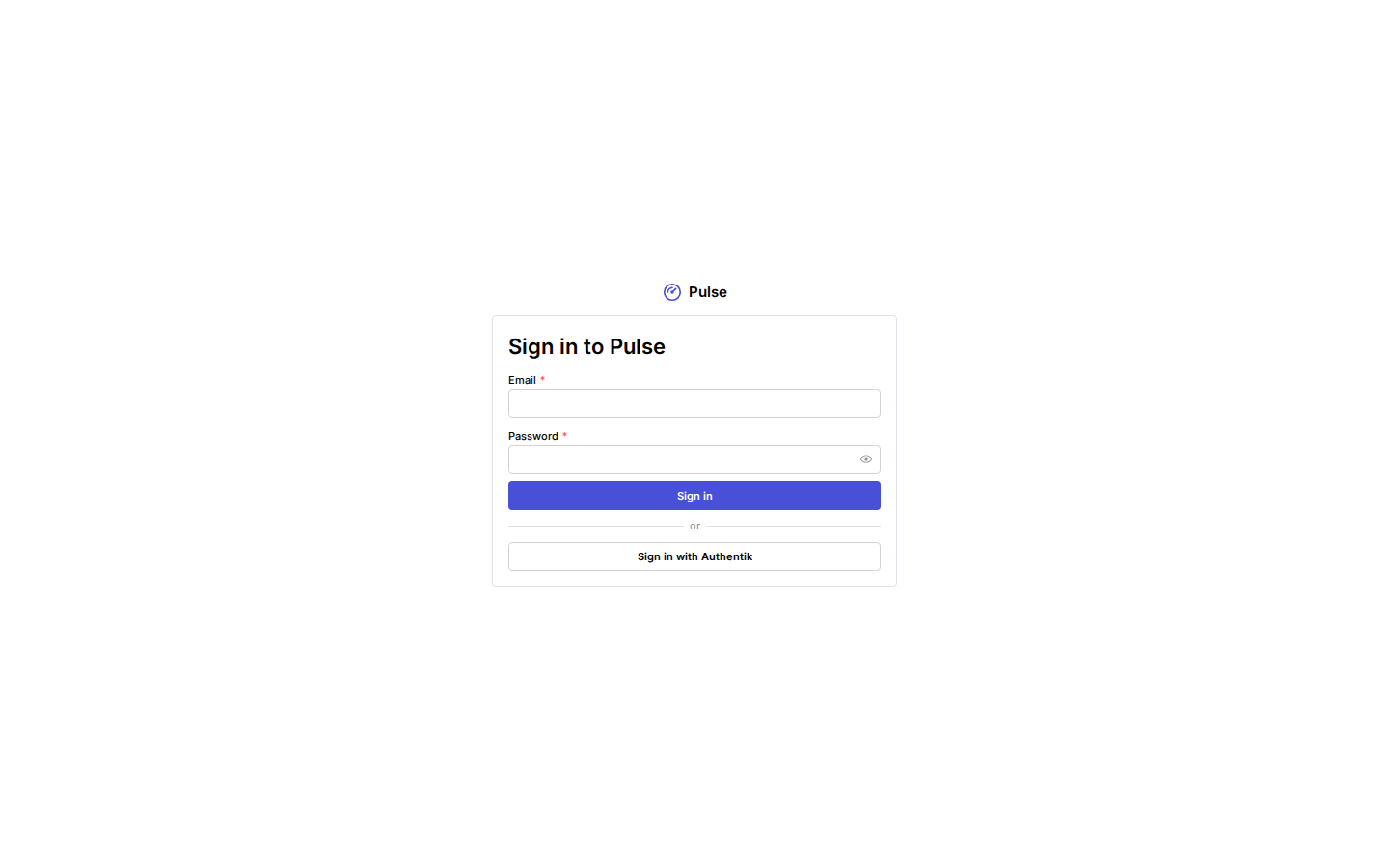
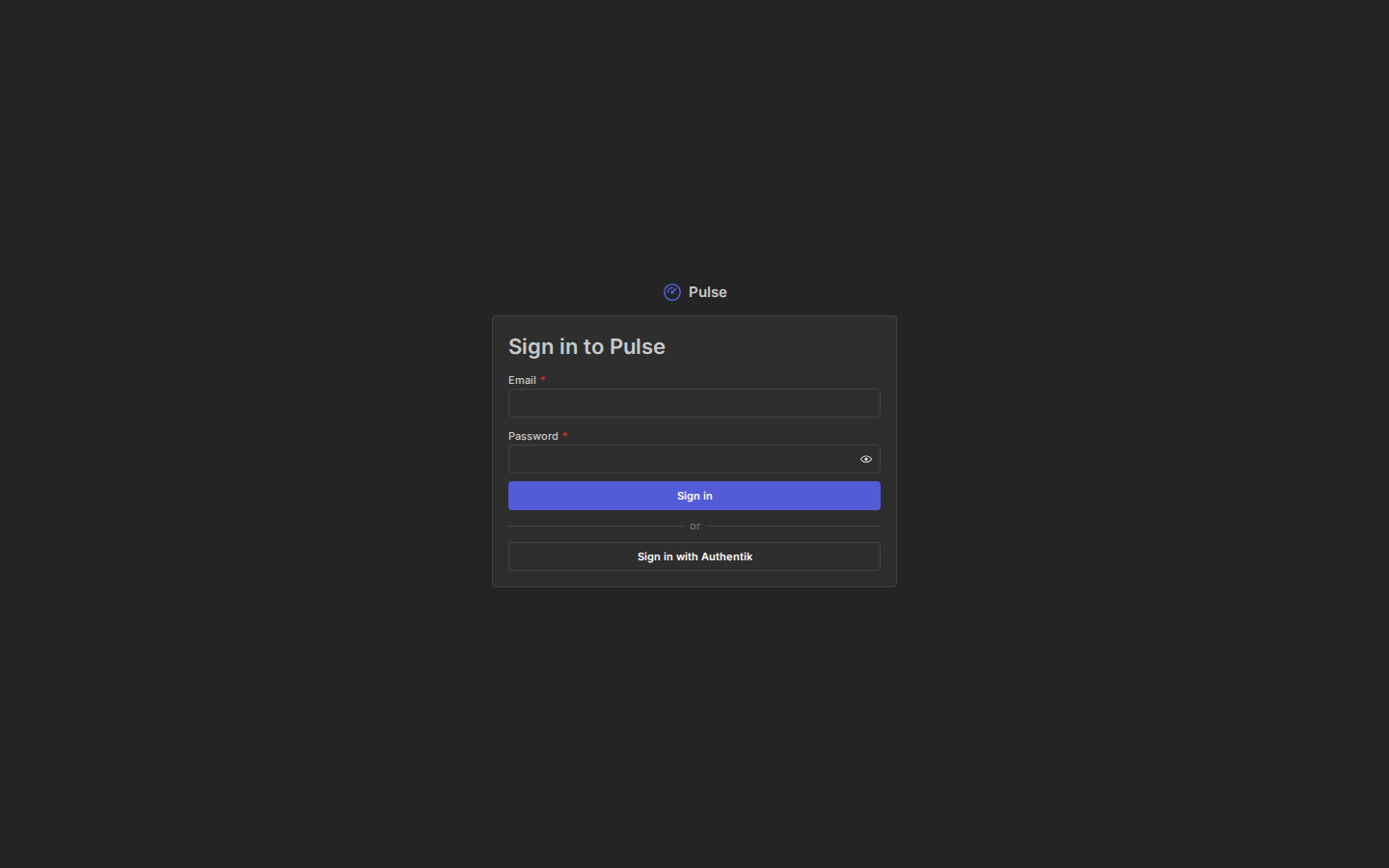
- Wrong password, unknown email and disabled account all give the same answer ("invalid credentials") after the same amount of work.
- After three failures, each further failure doubles the wait (from one second up to 15 minutes), per account and per address. There is no permanent lockout; an administrator can clear the throttle on the user's page.
- Each address may also make at most 20 sign-in attempts per minute.
- On the public dashboard, failed password sign-ins count toward automatic bans.
- Every attempt is in the audit log (
user.login).
Roles in PULSE_MFA_REQUIRED_ROLES (administrator and operator by default) must enroll TOTP at their first password sign-in before they get in.
Sessions end after 30 minutes without activity and 12 hours at most (PULSE_SESSION_IDLE, PULSE_SESSION_MAX). A session works only on the listener it was created on: a session from the SSH tunnel does not work on the public dashboard, and the other way round. Account → Sessions lists your sessions; you can sign any of them out. An administrator can sign a user out everywhere.
Confirming it is you
Sensitive actions need a sign-in from the last 5 minutes (PULSE_REAUTH_WINDOW), and some of them a second factor from the last 5 minutes. The dashboard asks and then retries the action:
| Needs recent sign-in | Also needs a recent second factor (password accounts) |
|---|---|
| Creating clients, rotating them, changing their grants; creating HTTP tokens and webhooks, updating webhooks (secrets are shown once); deleting streams, KV and object buckets | Creating, changing and deleting users; password links, invitations and link invitations; linking and unlinking identities; SSO provider, mapping and sign-in settings changes; backup restore dry runs and restores; creating personal access tokens |
Password sessions confirm with the password (and a TOTP or recovery code when enrolled). SSO sessions confirm with a fresh login at the identity provider (see step-up).
Your account
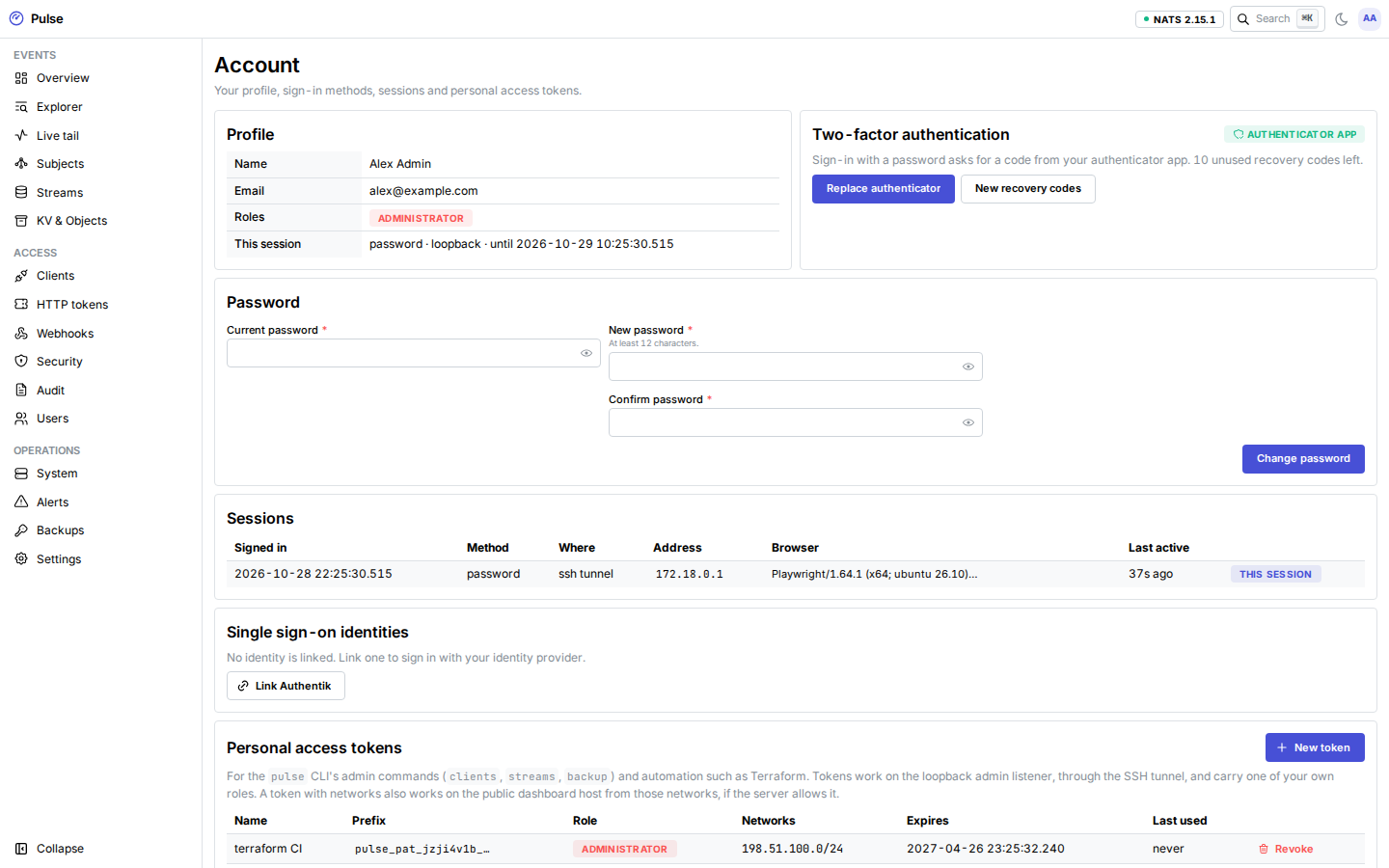
Account (the user menu, top right):
- change your password (signs out your other sessions);
- enroll, replace or remove TOTP (removing is refused when your roles require it); generate new recovery codes;
- see and end your sessions;
- see your linked SSO identities and link another one;
- create and revoke personal access tokens.
Single sign-on
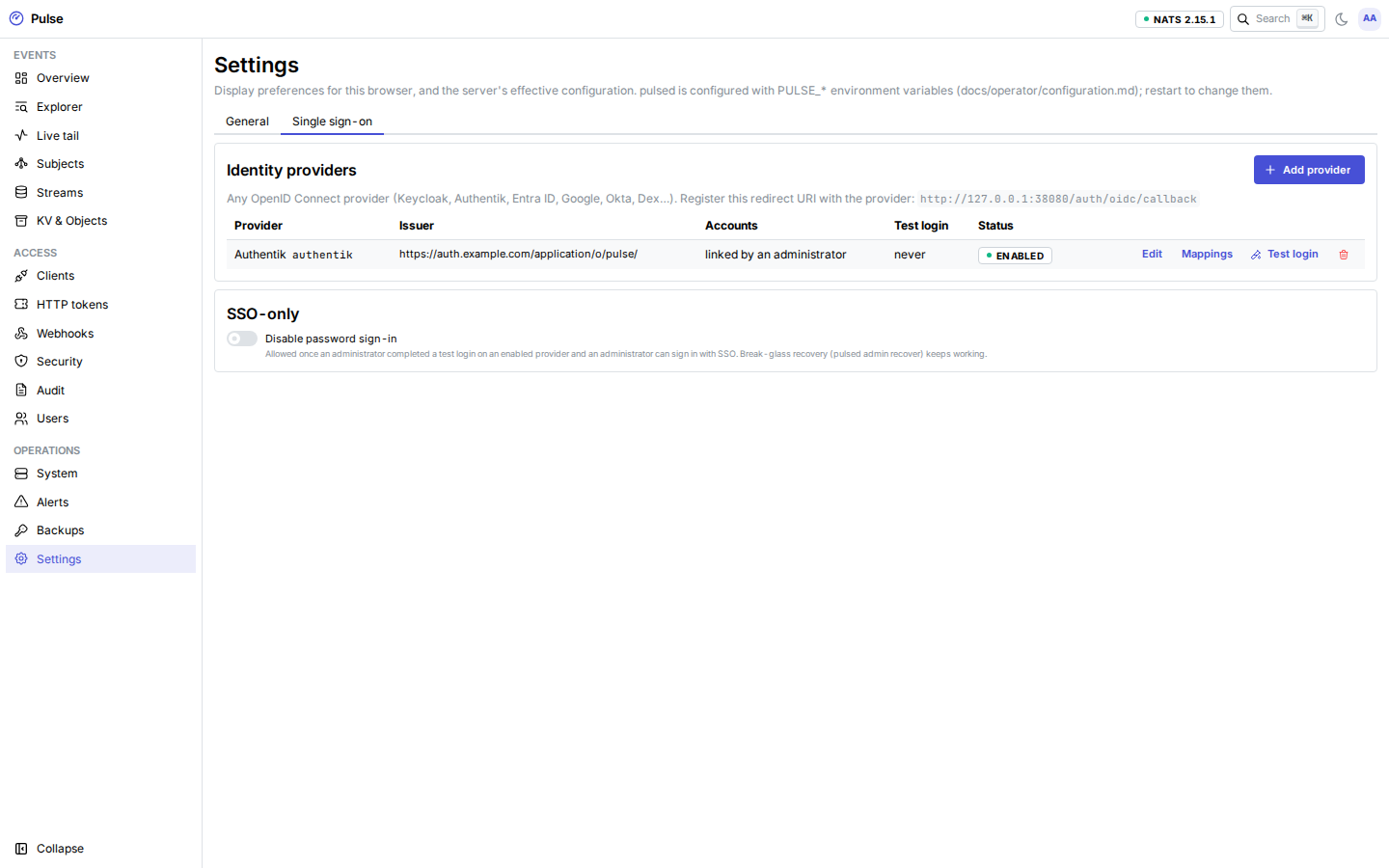
Settings → Single sign-on → Add provider (administrators):
| Field | Notes |
|---|---|
| Slug, display name | The slug is in URLs ([a-z][a-z0-9-], up to 32 characters); the name is on the sign-in button. |
| Issuer | Must be https:// and exactly equal to issuer in the provider's discovery document. The dev profile also allows http://localhost. |
| Client ID, client secret | The secret is optional (public clients with PKCE work). It is sealed at rest and never returned; leave the field empty to keep it. |
| Scopes | Default openid profile email. openid is required. |
| Groups claim | The claim that carries group names (an array or a single string), e.g. groups. Use dots for a nested claim, e.g. porch.groups for Porch; a top-level claim with exactly that name (such as https://example.com/groups) takes precedence. Needed for mappings and JIT group rules. |
| Provisioning | preprovisioned (default): unknown identities are refused. jit: unknown identities become users when every restriction matches. |
| JIT restrictions | Email domains (needs email_verified), Entra tenants (tid), Google hosted domains (hd), groups. At least one is required. |
| CA bundle | Extra trust roots for a provider on a private CA. TLS verification is never disabled. |
| Allow private network, allow cross-origin endpoints | Off by default: the provider may not resolve to private or loopback addresses, and its endpoints must be on the issuer's site. |
| Step-up fallback, ACR values | See step-up. |
| RP-initiated logout | Offer signing out at the provider when signing out of Pulse. |
Register exactly <PULSE_ADMIN_URL>/auth/oidc/callback as the redirect URI at the provider; the provider page shows it. SSO runs only on that origin. The sign-in page of the other listener links there.
How it works: the authorization code flow with PKCE (S256); the state, nonce and PKCE verifier are kept server-side for at most 10 minutes and bound to your browser by a cookie. The ID token's signature (RS256, ES256 or EdDSA; never none or HMAC), issuer, audience, azp, expiry, issue time and nonce are checked with at most 60 seconds of clock skew. Access and refresh tokens are discarded at once.
Identities and linking
A Pulse user is matched by the provider's issuer and subject, never by email address: an identity with the same email as an existing user is not merged into it. To connect an existing user:
- the user signs in with their password and uses Account → Link for the provider;
- or an administrator opens the user, enters the expected subject (Link by subject);
- or an administrator issues a Link invitation (72 hours, single use) and sends it; the person's next SSO login is linked to that user.
An identity linked to one user is never moved to another. Unlinking signs the user out.
Group → role mappings
Mappings turn a group value from the groups claim into a role (Settings → Single sign-on → provider → Mappings). At every SSO login, the user's SSO-mapped roles are replaced with the mapped set; roles an administrator assigned by hand are kept separately. Mapped roles apply only to SSO sessions. When a group is removed at the provider, the role is gone at the next login. The sync never removes the last enabled administrator: the role is kept and the conflict audited.
Just-in-time users
With jit provisioning, an unknown identity that passes every restriction becomes a user at its first login, with no roles except the mapped ones. If another user already has the same email address, the login is refused (no merge).
Test login
Test login on the provider page runs the whole flow against the provider and shows the claims, the mapped roles and the roles the user would get, without creating a session. A successful test is required before password sign-in can be turned off.
SSO only
Settings → Single sign-on → Password sign-in can be turned off when an enabled provider passed a test login and at least one enabled administrator has a linked identity on an enabled provider. While it is off, changes that would leave no administrator able to sign in with SSO are refused. Break-glass still works.
Step-up
SSO users confirm sensitive actions with a fresh login at the provider (prompt=login&max_age=0). Pulse requires the token's auth_time to be at or after the start of the step-up, and acr to match when ACR values are configured. A provider that does not send auth_time cannot confirm a step-up; with the fallback set to local_totp, the user enters their Pulse TOTP code instead (they must have enrolled one).
Personal access tokens
The pulse CLI's admin commands (pulse clients, pulse streams, pulse backup), pulsed backup run and the Terraform provider use a personal access token. Account → Personal access tokens → New token: a name, one of your own (manually assigned) roles, a lifetime (default 90 days, at most 366) and optional public networks. The token (pulse_pat_…) is shown once.
- It works on the loopback admin listener, through the SSH tunnel.
- On the public dashboard host it works only if the server sets
PULSE_ADMIN_PUBLIC_TOKENS=true, and only from the public networks the token was created with (at least /16 or /48). A token without networks gets 401 there. Refused tokens count towards a ban like failed sign-ins. See Terraform from CI. - At every request it holds the token's role only if you still hold that role.
- It needs no CSRF token and skips the recent sign-in checks: a token created here needed a fresh sign-in with MFA, and a host-minted one (below) needs access to the host.
- Every action is in the audit log under your name and the token's ID.
install -m 600 /dev/null ~/.config/pulse/admin.token && $EDITOR ~/.config/pulse/admin.token
pulse context add home --url tls://r.events.example.com:4222 --creds ~/.config/pulse/home.creds \
  --admin-url http://127.0.0.1:8080 --admin-token-file ~/.config/pulse/admin.token
pulse clients ls
Or set PULSE_ADMIN_TOKEN for one shell. Revoke tokens on the Account page; administrators see and revoke every user's tokens on the Users page.
For scripts and deployment checks, mint a token on the host instead (it prints the token once):
docker compose exec pulsed pulsed admin token --email automation@example.com --create --role operator --days 1--create makes a user without a password, which can only use tokens. Anyone who can run this can already use break-glass recovery, so it adds no new trust. Add --cidr <address> (repeatable) for a token that automation uses from those addresses on the public dashboard host.
Break-glass
When the only password or second factor is lost, or the provider is down while SSO-only is on, use the host:
docker compose exec pulsed pulsed admin recover --email you@example.com
docker compose exec pulsed pulsed admin recover --email new-admin@example.com --new-admin
It prints a single-use recovery link (30 minutes). Redeeming it signs out the user's other sessions, removes their TOTP factor and recovery codes, clears their sign-in throttles and, for an account with a password, offers a single-use password reset. An account that must use TOTP enrolls a new factor before the session works. --new-admin creates a new administrator instead. Both need a shell on the server with the master key; issuing and redeeming are in the audit log.
Public dashboard
By default the dashboard is only on the loopback admin listener. PULSE_ADMIN_PUBLIC=true also serves it on the public listener, behind Cloudflare and Authenticated Origin Pulls like every public route:
| Setup | Variables | Then |
|---|---|---|
| Own hostname (recommended) | PULSE_ADMIN_PUBLIC_HOST=admin.events.example.com | That host serves only the dashboard; events.example.com keeps serving only the API, webhooks and /ws. Add a proxied DNS record and put the name on the origin certificate. |
| Shared hostname | PULSE_ADMIN_PUBLIC_HOST unset (defaults to PULSE_PUBLIC_HOST) | events.example.com serves the dashboard on every path except /api/v1, /hooks, /ws and /healthz. |
PULSE_ADMIN_URL then defaults to https://<dashboard host>, which is also where SSO redirects. Responses on https carry HSTS, and session cookies are __Host-pulse_session with Secure. The SSH tunnel keeps working.